Everything in TPF, and what each part does for you.
Your lifting and conditioning in two apps, and nothing adding up the week. Here is each part of TPF and what it does for you.
Each part has a short page of its own with every feature, the plan it is on and the screens. Premium is free for the first 14 days.
Scoring on evidence
Every session scored on published research, before you train it
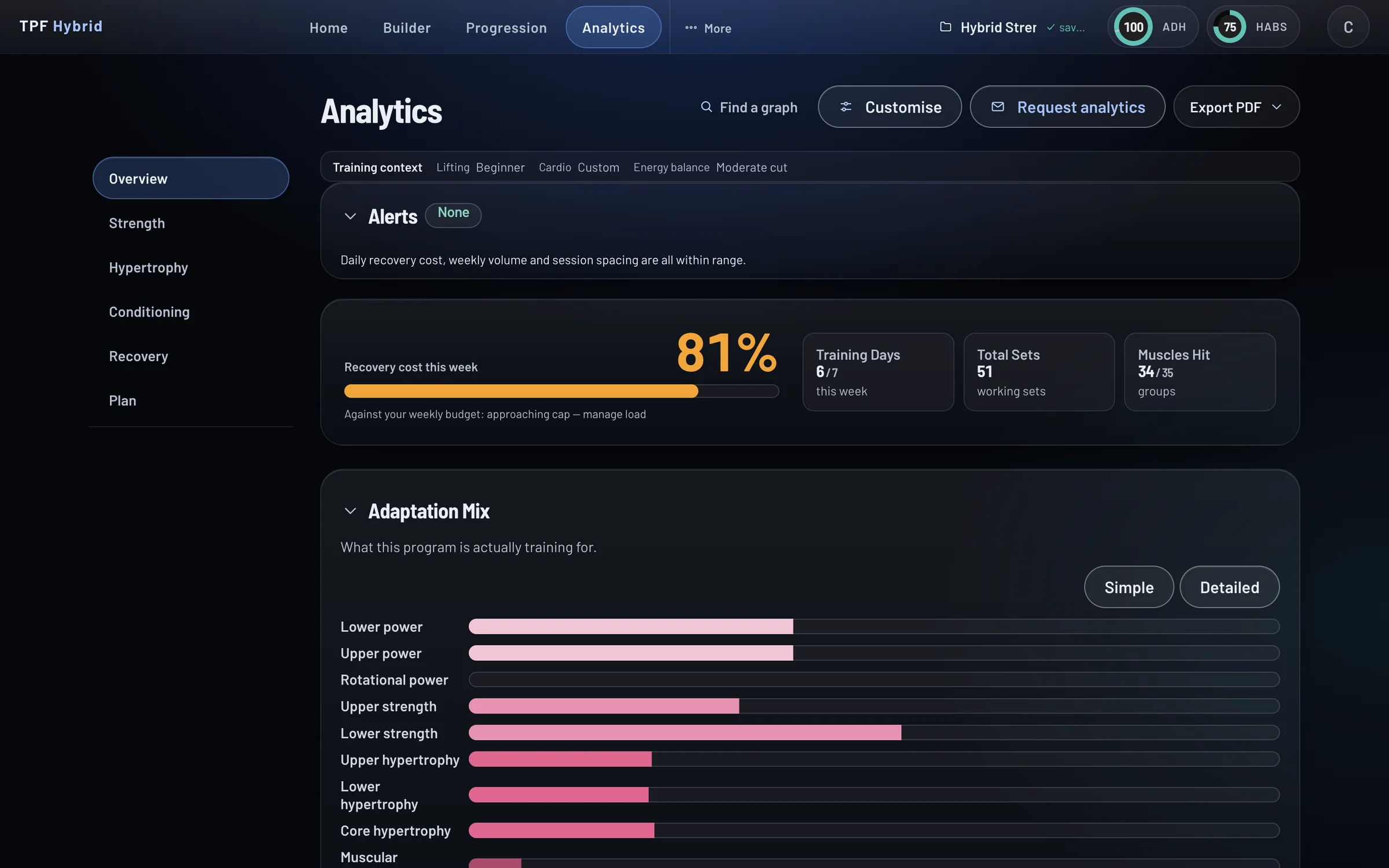
Each session is scored for everything it trains and for the fatigue it leaves: every muscle a set works, every main lift it builds, every kind of conditioning it carries over to, and what earlier training left behind. Build your programme and the numbers move with every exercise you add. Thirty-one analytics cards read the same plan.
- Every set credited to every muscle it works, against your own floor and ceiling
- Each main lift scored with the variations and supplementary lifts that build it
- Each kind of conditioning scored with what carries over from the others
- Recovery cost by day and week, with fatigue counted within the session, across the day and into the days after
AI Assistant
An AI that programmes around your life
Tell it your goal, your sport, your days, your kit and the places you train, and it drafts the week to programming rules written by coaches. When life changes, say so in a sentence and the plan is rebuilt around it, on the same recovery budget as the rest of the week.
- Build with AI from a short questionnaire, into the same Builder you would use yourself
- Programming for 22 sports and 20 military, police and fire roles
- Less time, a different place, a busy week, a holiday: one request each
- Skip and move, swap an exercise, write the next block, ask a question
What you can ask
- “Build me four days a week in a garage with a rack, a bar and dumbbells, an hour each.”
- “I only have forty minutes on Thursday.”
- “I’m in a hotel gym all next week.”
- “Move Friday’s session to Saturday.”
- “Not front squats.”
- “Write the next block from what I logged.”
- “Why is Thursday’s recovery cost so high?”
Each one rebuilds the plan around the change and re-costs the week. You see the result in the Builder and can change anything.
One plan
Lifting and conditioning in one programme
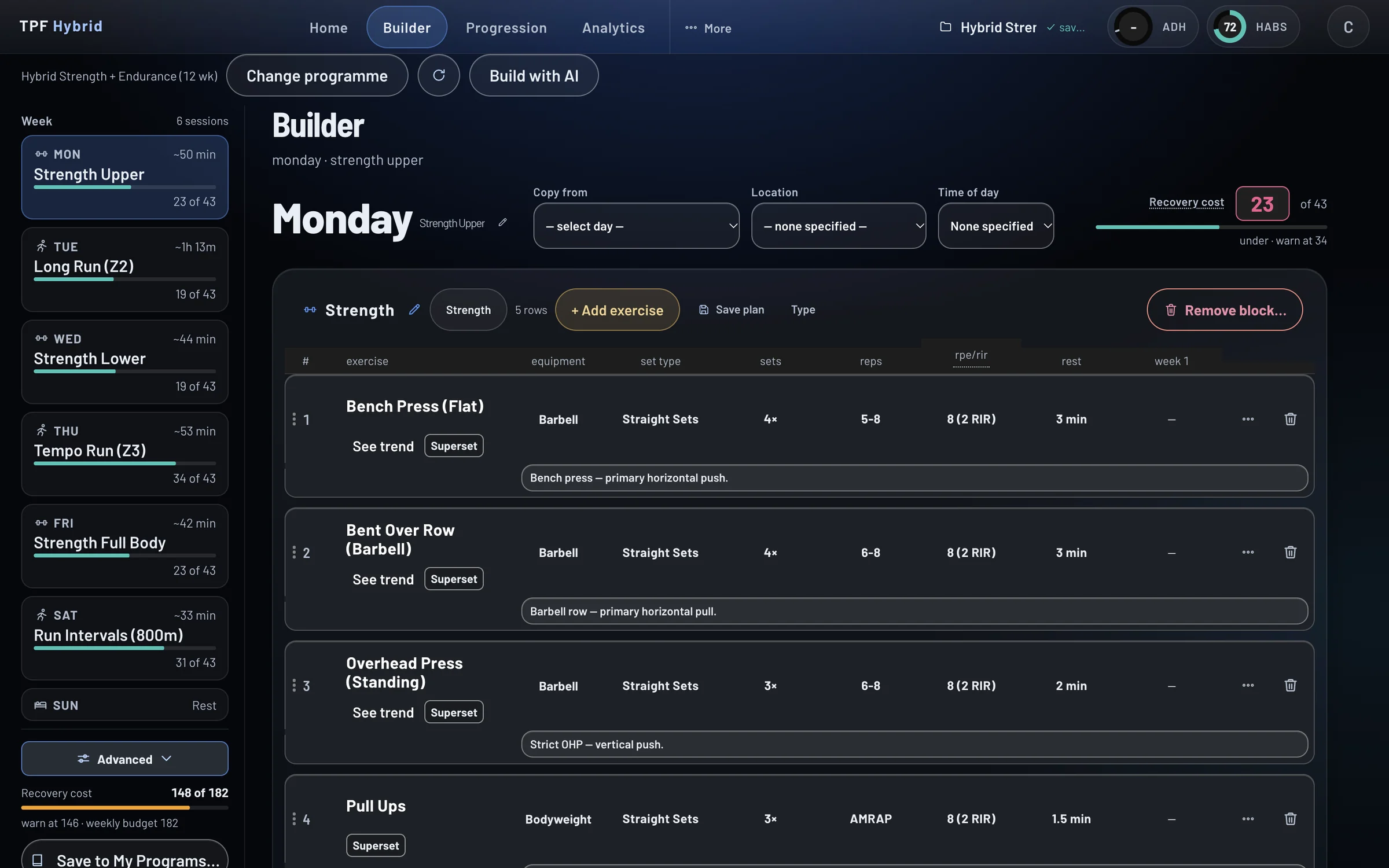
Build your whole programme in one place: the heavy days, the long run, the intervals, the ruck, the metcon. Everything you add is scored as you add it, and each day’s recovery cost sits in the header before you commit to it.
- The programme builder, with each day’s recovery cost before you commit to it
- 91 templates as a head start, filtered by goal, kit, difficulty and days
- A load or pace for every session, and progression set week by week
- 12 conditioning modalities, an interval builder, race paces from one time trial, rucking
Progression
Progressive overload, planned. Adherence, measured.
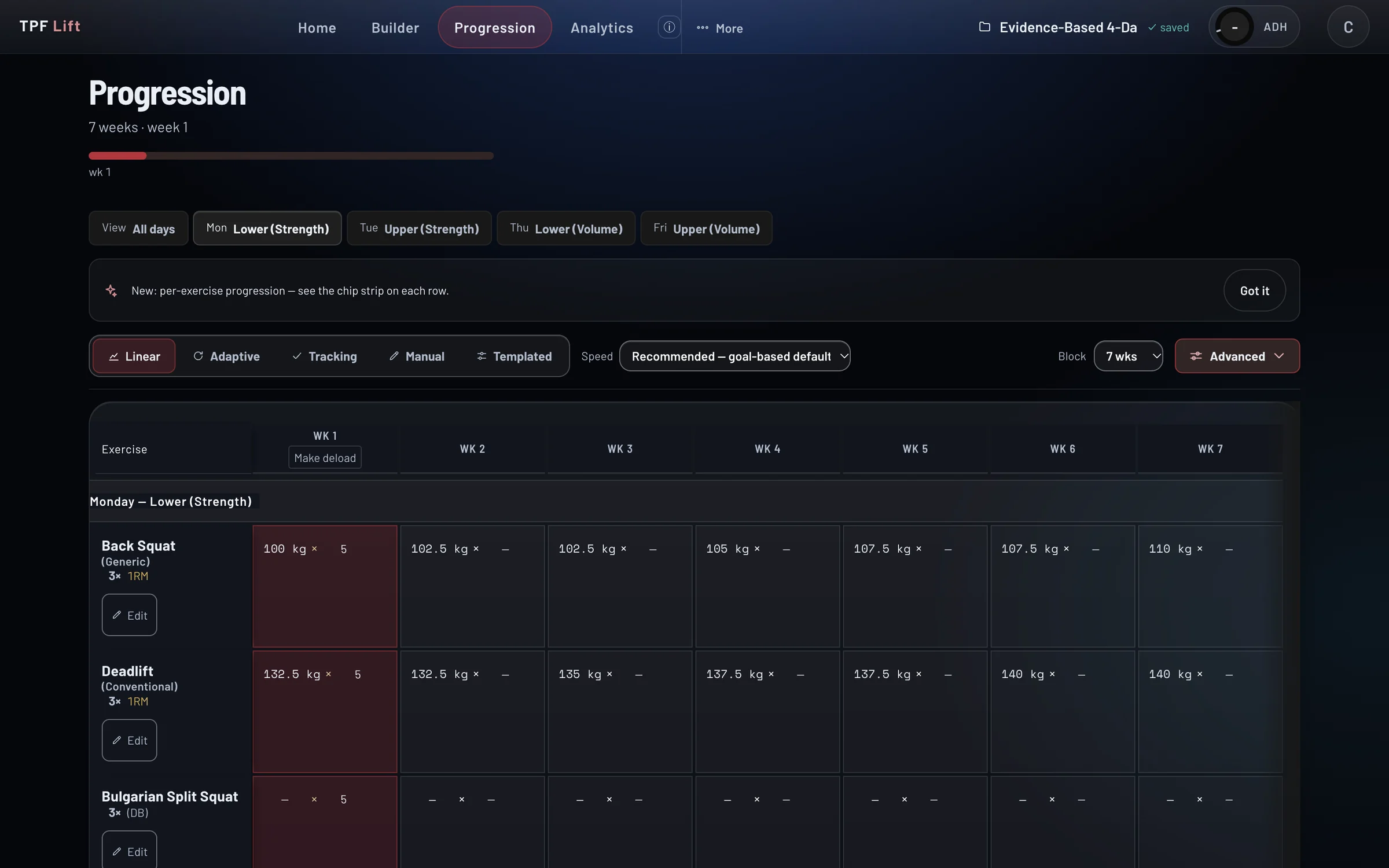
Three things make you better: progressive overload, adherence and hard work. Your programme gives you the structure. Next week’s numbers are set from this week’s. The most effective programme is the one you finish, so the AI changes yours when your schedule changes, and your adherence score shows how closely you follow it. Your estimated one-rep maxes and race times show whether it is working.
- Progressive overload set for every lift and every piece of conditioning, week by week
- Blocks of 4 to 16 weeks, with the deload called when it is due
- A programme you can finish: the AI rebuilds it when your schedule changes
- An adherence score out of 100: days attended, sets completed, reps on target, exercises kept
- Estimated one-rep maxes and estimated race times, charted from what you log
Metcon Builder
Metcons you can programme and score, not just time
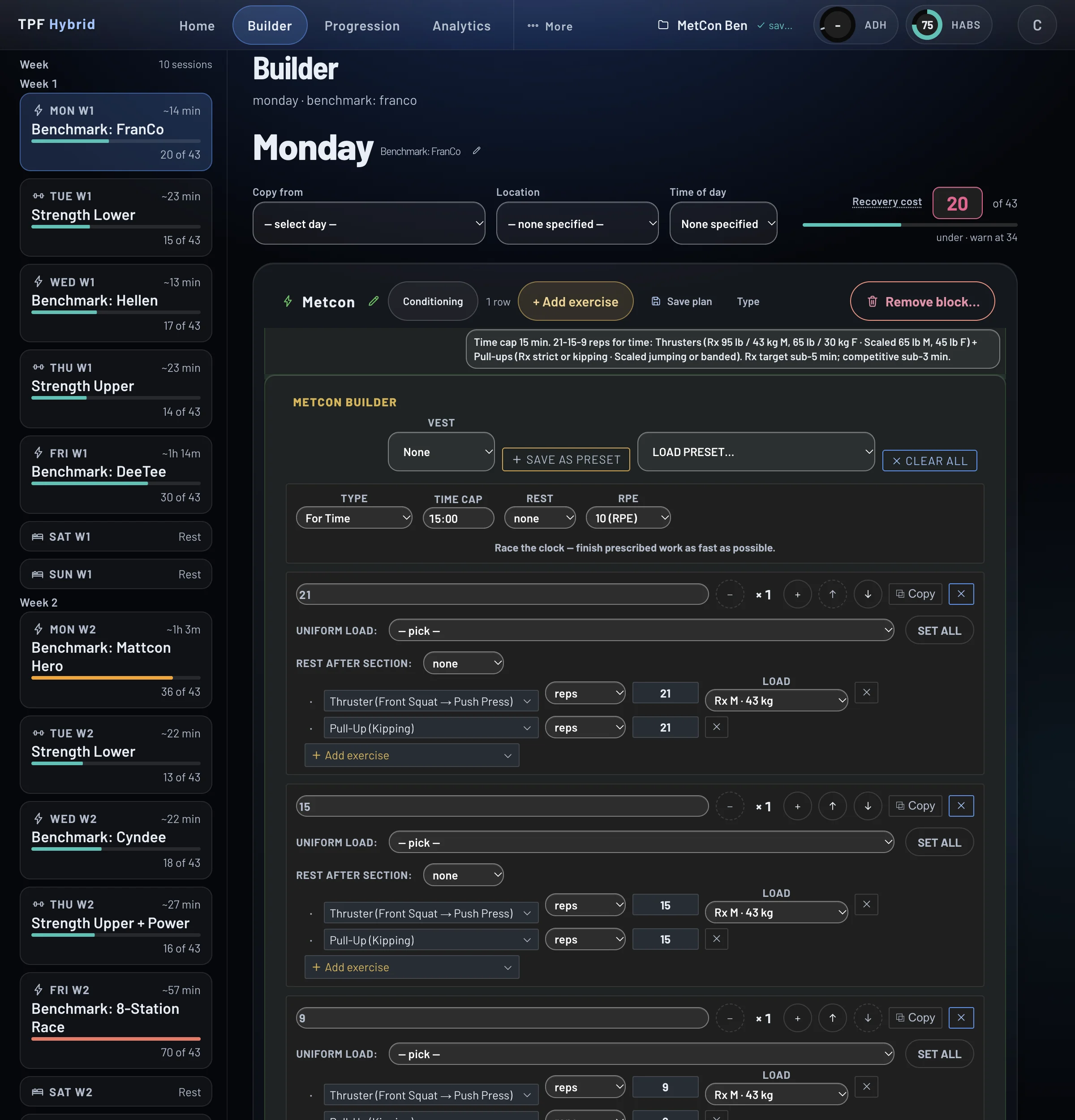
A WOD is a session like any other: it has a stimulus and a recovery cost, and both land on the week’s total. Build any format with the real movements and loads, and see what it is expected to do before you do it.
- Every format: for time, AMRAP, EMOM, rounds for time, chipper, 21-15-9, Tabata
- A predicted stimulus curve, minute by minute, from your own numbers
- Nine benchmark workouts in one click, and your own saved
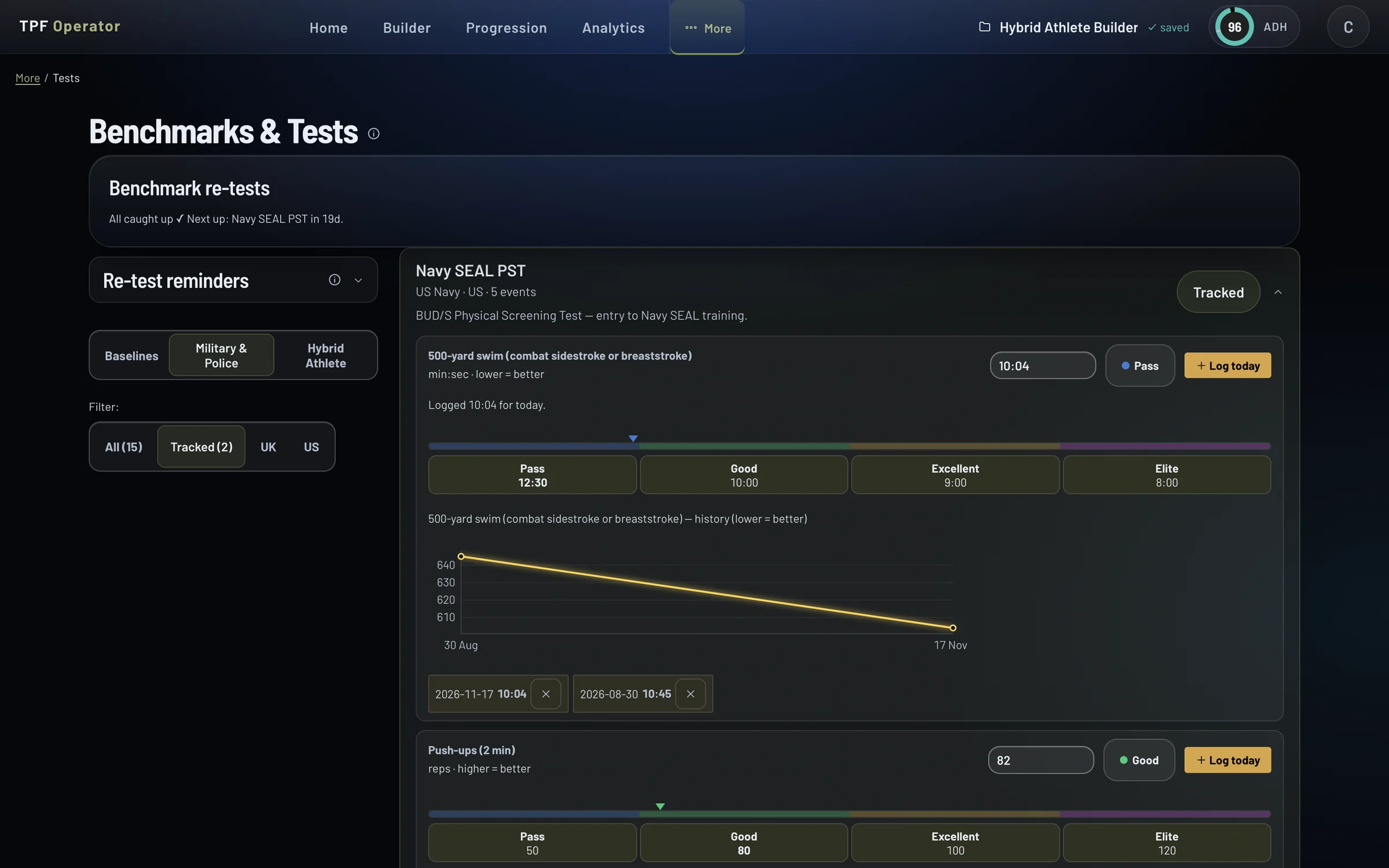
Sports and tests
Benchmarks for your sport. Pass marks for your test.
39 tests, each scored against a published standard or a TPF tier. Military and police tests against their published pass marks; Hyrox, CrossFit-style and endurance benchmarks; one readiness score across eight physical domains.
- 11 military and 4 police fitness tests, event by event, against the published pass marks
- Hyrox at Open and Pro, five CrossFit-style benchmarks, triathlon, running, rowing and cycling tests
- HABS Score and Operational Readiness Score, free in TPF Benchmark too
Training Locations
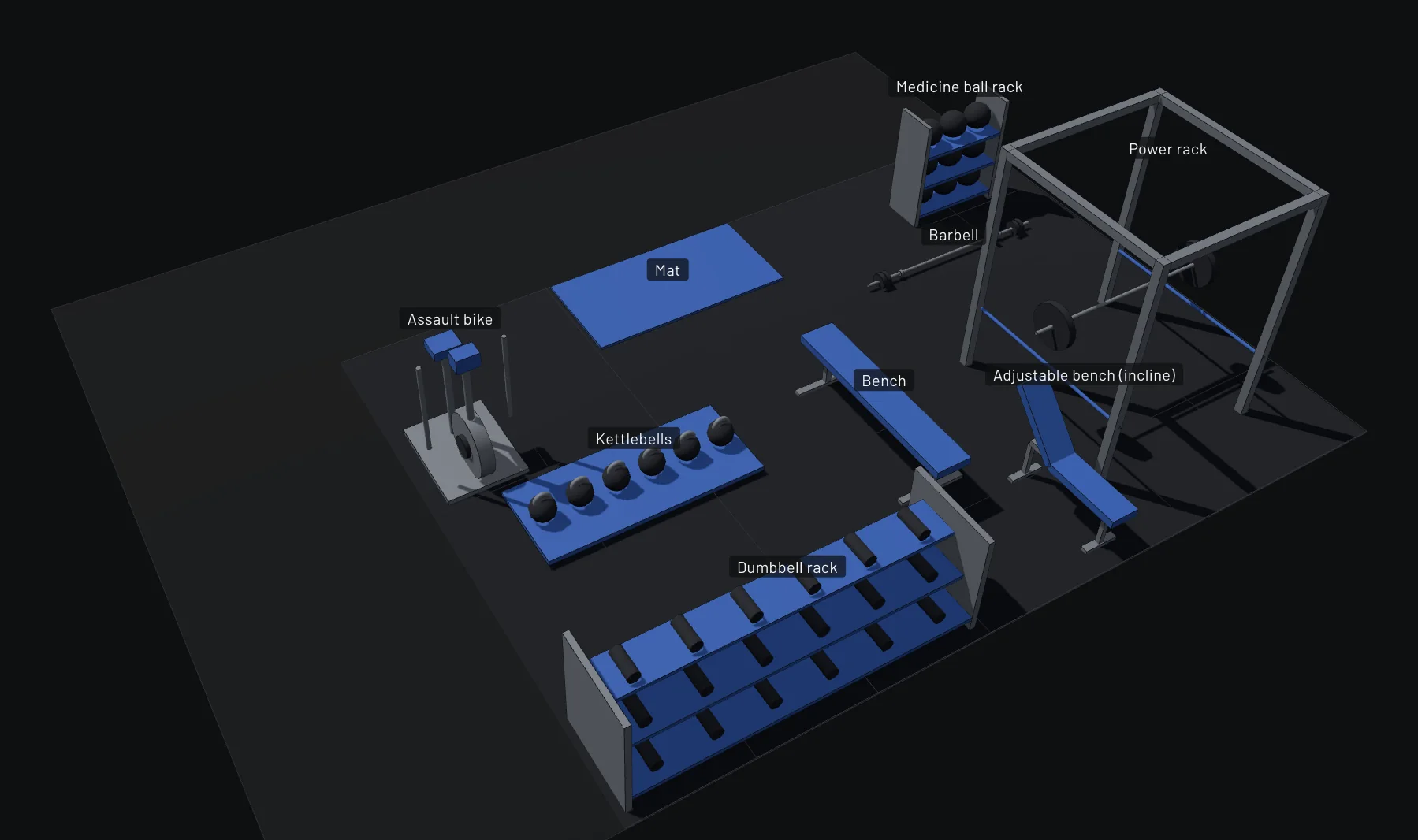
Build the places you train
A gym, a garage, a field, a hotel, a barracks. Record each one with the kit it has and the limits on it, lay the floor out, and the programme fits the place.
- Each place with its kit and the limit on it: the heaviest dumbbell, the bar and plates
- A floor plan you can turn in 3D; supersets checked against how far apart the kit is
- Programmes and templates that never need kit you do not have
Training day
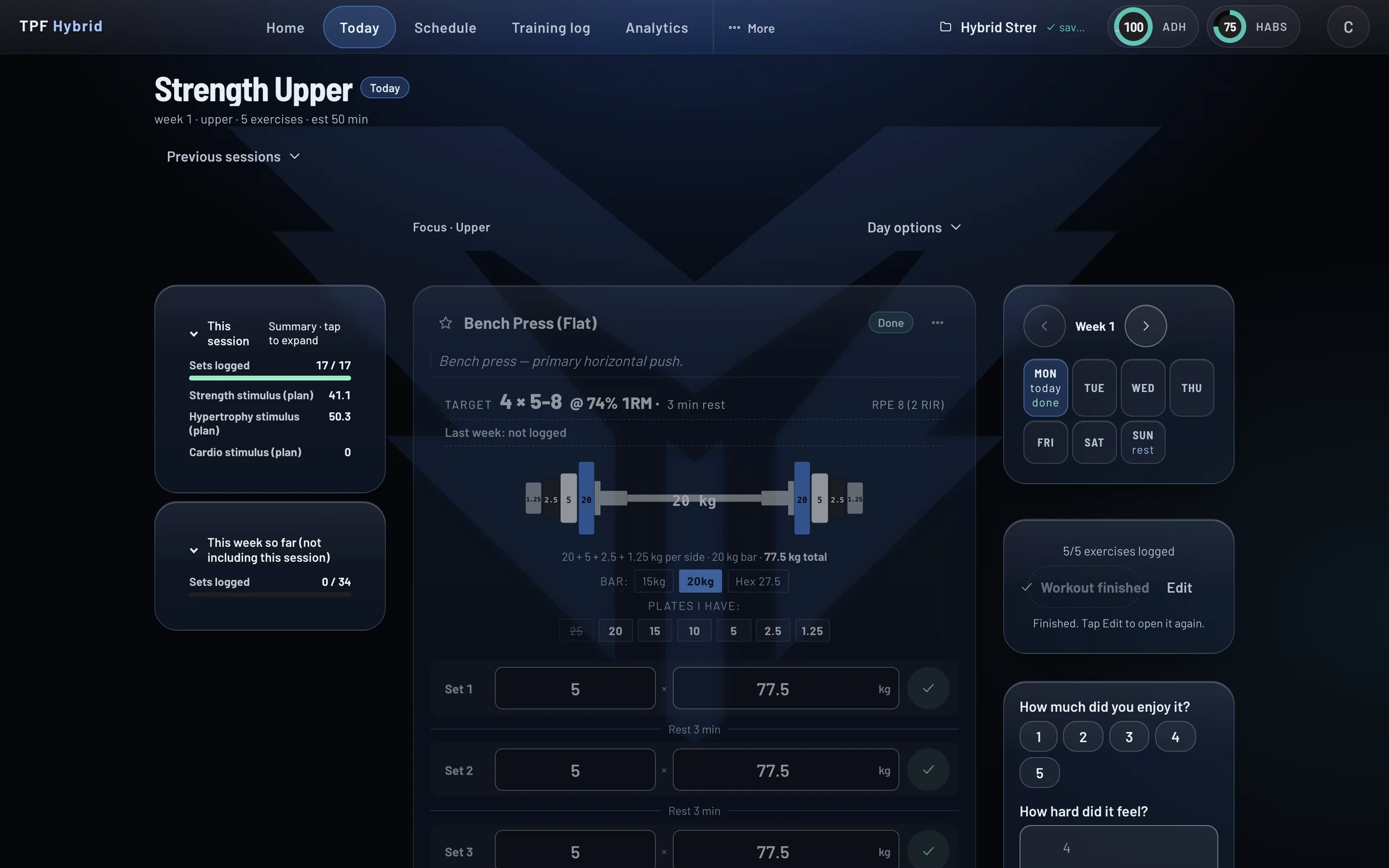
Turn up, train, log it
The thinking happened when you built the plan. On the day, the lift, the scheme and the weight are already worked out; conditioning is logged bout by bout; and everything you log is kept in your training log, where the analytics read it over time.
- Today: the weight already worked out, a rest timer and a plate view
- On the Go: log whatever you did, when you can, and the analytics score it
- Your training log over time: sessions, progress, records and blocks, and a copy of your data on request
- Compare two exercises muscle by muscle, a 1RM calculator, race paces, PDF export
- Training partners, friends ranked on adherence, progress and health alongside the training
Coach tools
Programme for other people
TPF Coach runs on the same scoring model, so every programme you write is scored the way your clients see it. Link or create clients, programme in their plan, and see who is following it without chasing.
- Link an existing TPF account or create a client from a name and an email
- Programme each client directly, or send one programme to many at once
- Adherence and alerts, chat, calendar, groups, your branding and a public profile
Platform
In any browser, one history
The full product runs in a web browser today, on a laptop and on a phone, with nothing to install and nothing to update. One login, one training history, three editions on one subscription.
- Build on a big screen, train from your phone; every device shows the same record
- TPF Lift, TPF Hybrid and TPF Operator on one plan; switch in Settings
- iPhone and Android apps in build; you do not need them to train off your phone today
Which plan.
Premium
Plan your own training with every number in front of you before you commit to the week. Everything the scoring model does: the builder, the analytics, the AI, metcons, tests, intervals, floor plans, templates and progression. Free for the first 14 days.
Pro
Everything in Premium, plus the scoring model itself: your own exercises and the factor weights that score them, per-muscle controls and the Health tab.
Coach
Everything in Pro, plus the client tools: roster, linking, programming for clients, adherence and alerts, chat, groups, branding and a public profile.
Prices, the trial terms and the Blue Light and Defence discounts are on the editions page.
Feature availability reflects the current build — shipping now, in any browser on any device, with native iOS and Android apps in build. Some features marked Premium, Pro or Coach are in active development. Premium is free for 14 days; a card is needed to start, and you pay nothing if you cancel before the trial ends.